
Complete the shared settings first
Every tool needs the Windows settings and the General Settings before this guide.
Minnows setup
Before starting
- Follow the Windows settings and complete the General Settings.
- Start on the Minnows fishing platform.
- Keep a small fishing net in your inventory.
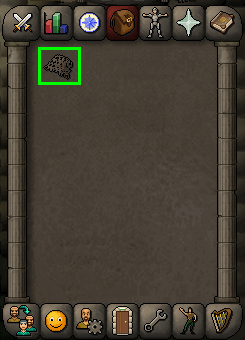 (opens in a new tab)
Fishing settings
| Setting | Required value |
|---|---|
| Fishing spot indicators | On |
| Fishing spot indicators: tools only | On |
| Fishing spot indicators: mouse over tooltip | Off |
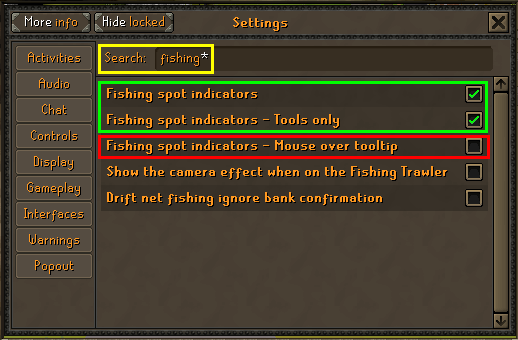 (opens in a new tab)
Chat visibility
Keep normal opaque chat visible, Game chat On, All selected, and the chat scrolled to the latest messages.
The tool reads catch and flying-fish messages and can repair some incorrect chat settings automatically. Unknown or hidden chat states may need manual correction.
Starting location
Start on the Minnows fishing platform, near the fishing spots. Use the minimap below as a location reference; the player is at the centre of the minimap.
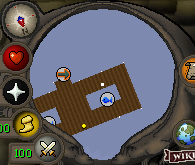 (opens in a new tab)
Ready to try Minnows?
Start free trial