
Every tool needs the Windows settings and the General Settings before this guide.
NMZ setup
Before starting
- Follow the Windows settings and complete the General Settings.
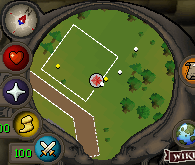
- Start near Dominic.
- Equip your weapon and enable Auto-retaliate.
- If using ranged combat, bring enough ammunition for the intended session.
- Carry a dwarven rock cake or locator orb.
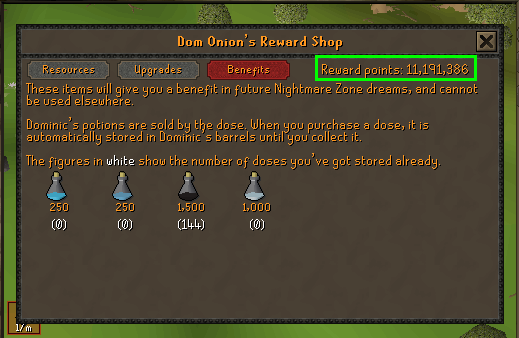
- Have enough coins in Dominic's coffer for the selected dream and enough NMZ points for the selected potion setup.
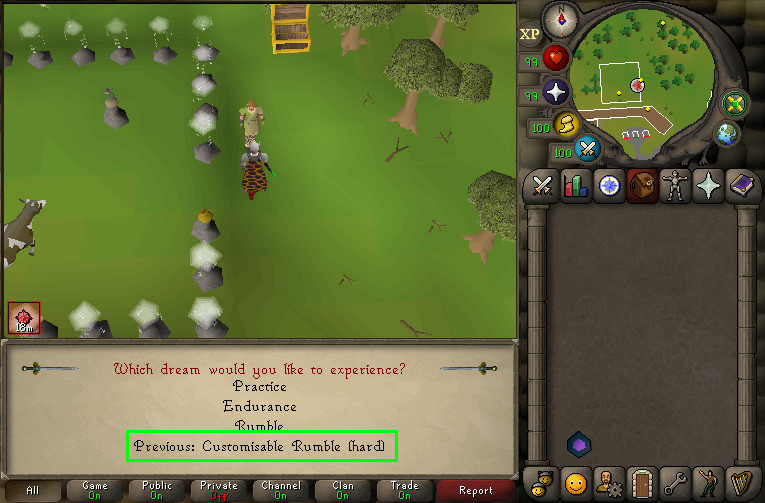
- Have previously completed a Customisable Rumble (Hard) dream.
Disable inventory hover tooltips
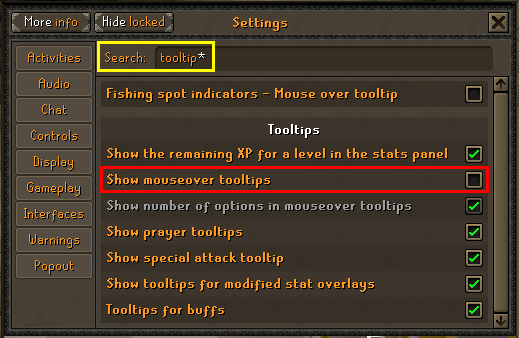
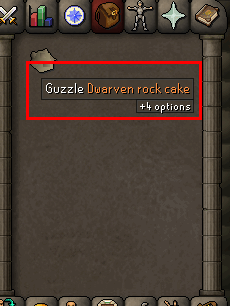
As described in General Settings, turn Show mouseover tooltips off. Leaving this enabled can cover inventory items and interfere with static inventory recognition.
 (opens in a new tab)
The following image shows the unwanted tooltip over a dwarven rock cake:
 (opens in a new tab)
Required HP item
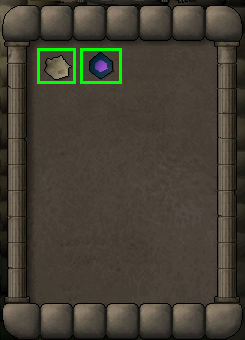
Keep either a dwarven rock cake or a locator orb in your inventory. The tool selects a recognized HP item during its inventory checks.
 (opens in a new tab)
Coffer and potion points
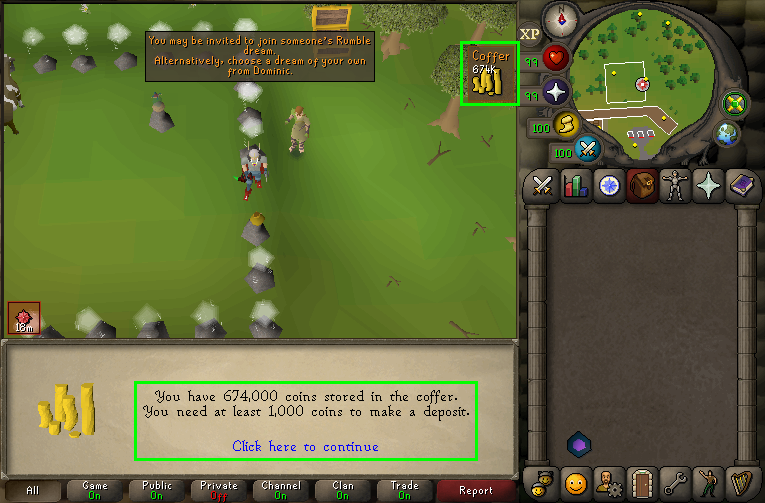
Put enough coins in Dominic's coffer to pay for the selected dream.
 (opens in a new tab)
Make sure your NMZ points cover the configured potion purchases. You must have enough points for at least a full inventory of absorption potions before starting.
 (opens in a new tab)
Previous dream setup
You must already have completed a Customisable Rumble (Hard) dream before using this setup.
 (opens in a new tab)
Starting location
Start near Dominic Onion at Nightmare Zone. Use the minimap below as a location reference; the player is at the centre of the minimap.
 (opens in a new tab)
Ready to try NMZ?
Start free trial